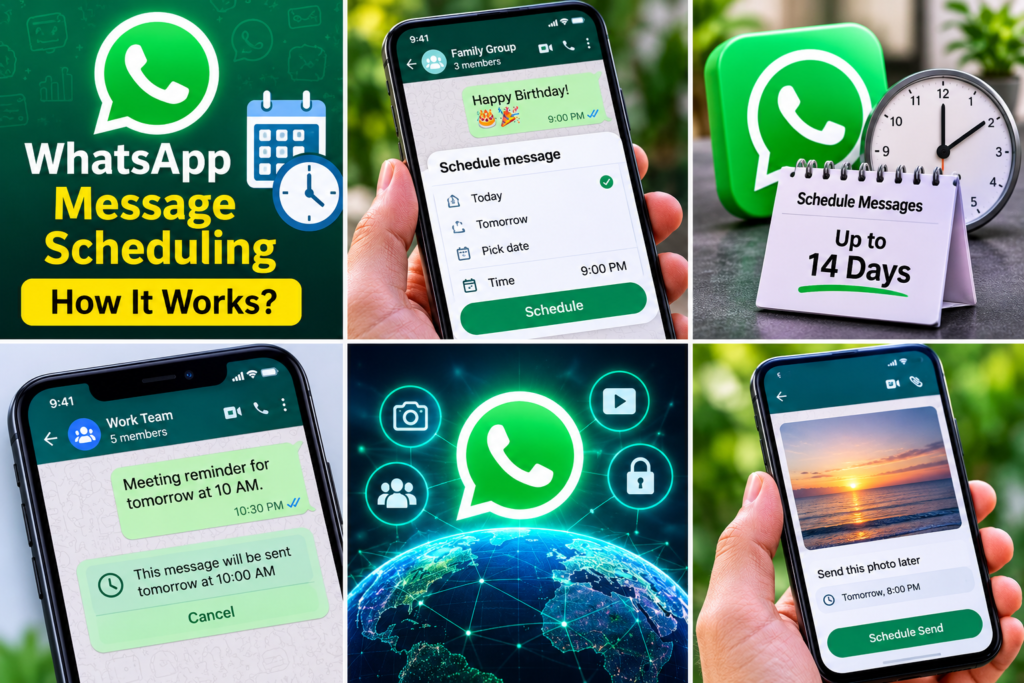
WhatsApp Is Getting a Game-Changing Feature That Makes Messaging Easier
WhatsApp has introduced a feature that millions of users have wanted for years: the ability to schedule messages and have them delivered automatically at a chosen time.
The new feature, announced on November 25, 2026, brings a useful change to one of the world’s most popular messaging applications. Instead of having to remember to send a message later, users can now write it in advance, select a delivery time, and let WhatsApp handle the rest.
It might sound like a small improvement, but it addresses a problem that many people experience every day. Someone remembers a friend’s birthday late at night. A business owner wants to send a customer an update the following morning. A student needs to remind classmates about an examination, or someone living in another country wants to contact a family member without disturbing them while they sleep.
Previously, these situations often required alarms, calendar reminders, or third-party applications. WhatsApp’s new scheduling option offers a more direct solution within the messaging experience.
According to WhatsApp’s official announcement, users can schedule messages between 10 minutes and 14 days in advance. The feature works in individual and group conversations and supports text messages, photos, and videos.
There is another particularly useful detail: scheduled messages can still be delivered when the sender’s phone is switched off or its battery has run out. WhatsApp also says these messages retain end-to-end encryption.
The company is rolling out the feature globally over the coming weeks, meaning not every user will necessarily see it immediately.
Here’s a closer look at everything the new WhatsApp scheduling feature offers and how it could change everyday messaging.
What Is WhatsApp’s New Message Scheduling Feature?
Message scheduling allows WhatsApp users to prepare a message now and arrange for it to be delivered at a later time.
Rather than tapping the send button to deliver something immediately, users can press and hold the button, choose a date and time, and confirm the schedule.
The message then remains pending until its selected delivery time.
For example, imagine that your friend’s birthday is approaching. You remember it three days early, but you want your greeting to arrive exactly at midnight.
Instead of setting an alarm and waiting until the correct time, you can prepare the greeting in advance and schedule its delivery.
The same idea works for everyday communication. You could write a reminder for a colleague, prepare an announcement for a group conversation, or send a message to someone living in a different time zone.
WhatsApp says the feature works in both one-to-one chats and group conversations.
It also supports text, photos, and videos, so users are not limited to scheduling ordinary written messages.
The recipient receives the scheduled message like a normal WhatsApp message. They do not see a special indication that it was prepared in advance.
This makes the feature feel like a natural extension of the existing messaging experience rather than a completely separate tool.
Why Is WhatsApp Introducing Scheduled Messages Now?
WhatsApp has spent years developing features that make communication faster and more convenient.
The application already offers voice messages, video calls, group conversations, disappearing messages, message editing, communities, channels, and other tools.
However, scheduling ordinary messages has been a noticeable missing feature.
People frequently remember something they want to say at a time when sending it immediately would be inconvenient.
A person might think about a birthday greeting while travelling. Someone working late may want to prepare a message for colleagues without sending it during the middle of the night.
Parents might want to remind children about school activities, while students may need to send important information to a class group at a particular time.
WhatsApp’s announcement describes scheduled messaging as one of its most requested features.
The introduction also brings WhatsApp closer to competitors that already offer similar functionality.
Telegram has supported scheduled messages for years, while Apple Messages and Google Messages also provide scheduling options in supported versions.
For WhatsApp users, the main advantage is convenience. They can now access scheduling within an application they already use every day.
The update also reflects a wider change in messaging technology. Modern communication applications are increasingly expected to help users organize their lives, not simply exchange messages instantly.
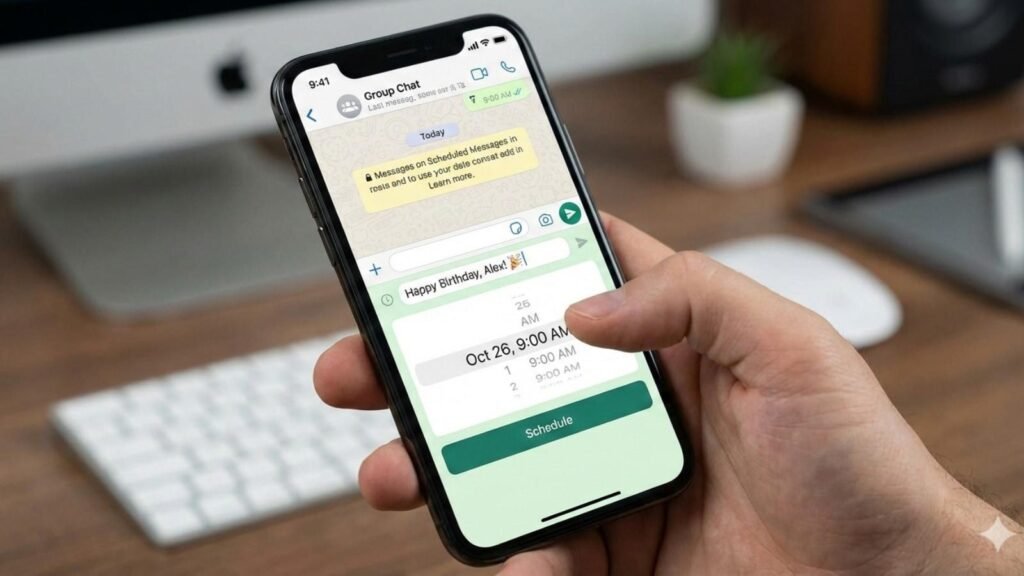
How to Schedule a Message on WhatsApp
One of the best things about this feature is that it does not require a separate scheduling application.
Once the feature becomes available on your account, the scheduling process takes place inside the normal WhatsApp conversation.
Here is how to use it.
Step 1: Open WhatsApp
Launch WhatsApp on your Android smartphone or iPhone.
Make sure you are using an official, updated version of the application. If an update is available, install it through the Google Play Store or Apple App Store.
Remember that the feature is being rolled out gradually, so having the latest version does not necessarily mean you will receive access immediately.
Step 2: Select a Chat
Open the individual conversation or group chat where you want to send your scheduled message.
Check the recipient carefully before preparing anything important.
Step 3: Write Your Message
Type the message you want to send.
It could be a birthday greeting, a business update, a meeting reminder, a personal message, or an announcement for a group.
Take a moment to review the wording before continuing.
Step 4: Press and Hold the Send Button
Instead of tapping the send button normally, press and hold it.
WhatsApp will present the scheduling option when the feature is available.
Step 5: Choose a Date and Time
Select the date and time when you want the message to arrive.
WhatsApp supports scheduling between 10 minutes and 14 days in advance.
Make sure you select the correct date, particularly if the message is connected to an important event.
Step 6: Confirm the Schedule
Review your selection and confirm it.
Your message will now be scheduled instead of being delivered immediately.
WhatsApp will handle the delivery at the selected time.
The same general process applies to supported photos and videos.
How Far in Advance Can You Schedule WhatsApp Messages?
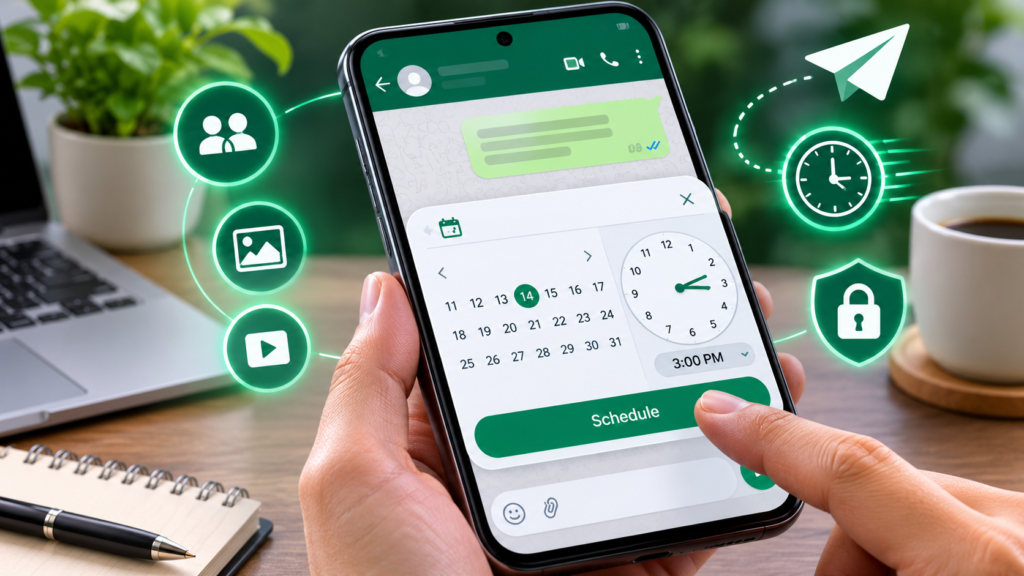
WhatsApp currently provides a scheduling window of 10 minutes to 14 days.
This means users can arrange delivery shortly after preparing a message or plan communications up to two weeks ahead.
The maximum period is useful for many everyday situations.
For example, someone could prepare a birthday greeting two weeks before the occasion. A student could organize a reminder for an examination approaching the following week. A business owner could prepare an announcement for an upcoming promotion.
However, the two-week limit may not be enough for everyone.
People who want to plan communications several months ahead will still need to use other planning methods.
For now, WhatsApp’s focus appears to be on practical, relatively short-term messaging rather than a complete long-term scheduling calendar.
Can WhatsApp Send Scheduled Messages When Your Phone Is Off?
This is one of the most interesting details of the announcement.
WhatsApp says scheduled messages will still be delivered at the selected time even if the sender’s phone is switched off or its battery has run out.
That makes the feature more convenient than scheduling methods that depend on keeping a phone active.
Imagine preparing an important message before going to sleep. You schedule it for the following morning and then switch off your phone.
According to WhatsApp, the message will still arrive at the selected time.
The same benefit could help people travelling, working irregular hours, or spending time away from their devices.
It also means users do not need to keep WhatsApp open and wait for the delivery moment.
This is particularly useful because the whole purpose of scheduling is to separate the time when a person prepares a message from the time when the recipient receives it.
Can You Schedule Messages in WhatsApp Group Chats?
Yes. WhatsApp’s new feature supports both individual and group conversations.
This could be especially useful because group chats are an important part of everyday communication.
Families use them to organize events and share updates. Students use them to discuss assignments and examinations. Businesses use them to coordinate activities and communicate with colleagues.
Scheduled messaging gives users another way to organize these conversations.
For example, a student could prepare a reminder about an examination and schedule it for the evening before the test.
A family member could prepare an announcement about a celebration and arrange for it to arrive in the family group at a suitable time.
A workplace team member could prepare an update in advance and schedule its delivery for the beginning of the working day.
The feature does not require everyone in a group to use a separate scheduling application.
The recipient simply receives the message through the normal group conversation.
Users should still review the group and its membership before scheduling important information.
Can You Schedule Photos and Videos?

Yes. WhatsApp’s scheduled messaging feature supports more than text.
Users can also schedule photos and videos.
This makes the feature more flexible for people who communicate visually.
For example, someone might want to send a birthday photograph at midnight, share a video with a friend the following afternoon, or prepare a picture announcement for a group.
Small businesses may also find this useful for ordinary customer communication.
A clothing store could prepare a product photograph in advance. A local service provider could prepare a visual update about an upcoming event.
However, users should understand that scheduled messaging is not the same as a complete social media publishing system.
WhatsApp has not announced a full marketing calendar, audience analytics dashboard, or advanced campaign management platform as part of this update.
Its purpose is to make ordinary conversations easier to organize.
Will the Recipient Know That a Message Was Scheduled?
No special scheduling indication is shown to the recipient.
According to WhatsApp, scheduled messages appear like ordinary messages.
This means the recipient does not receive a separate notification explaining that the sender prepared the message earlier.
That could make the feature particularly useful for birthday greetings and other personal occasions.
A message arriving at midnight can feel thoughtful, even when the sender prepared it several days earlier.
It also avoids adding unnecessary information to ordinary conversations.
The sender can plan the delivery, while the recipient experiences a normal WhatsApp message.
How to View and Delete Scheduled Messages
Plans can change, and a useful scheduling feature needs a way to manage messages that have not yet been delivered.
WhatsApp says users can see their future scheduled messages and delete them before delivery.
This is helpful when a meeting is cancelled, an event changes, or someone decides that a particular message should not be sent.
For example, imagine scheduling a reminder for a meeting on Friday. On Thursday, the meeting is postponed.
You can review your scheduled messages and remove the outdated reminder before it reaches the group.
It is important to understand the difference between deleting a pending message and deleting one that has already been delivered.
The scheduling option allows users to delete messages before their delivery time. Once the message has been sent, the normal WhatsApp message controls apply.
WhatsApp’s announcement confirms the ability to view and delete future messages. Users should consult the latest in-app instructions for the exact location of the scheduled-message list, as the interface may differ between versions.
Are WhatsApp Scheduled Messages End-to-End Encrypted?
Privacy is an important consideration whenever a messaging application introduces a new feature.
People use WhatsApp for personal conversations, family discussions, work-related communication, and other private exchanges.
They naturally want to know whether scheduling changes how their messages are protected.
WhatsApp says scheduled messages remain end-to-end encrypted, just like its regular personal messages.
This means the company says message contents remain protected so that only the intended participants can read them.
That is an important part of the announcement.
However, encryption does not mean that users should ignore normal privacy precautions.
A recipient can still take a screenshot, forward information, or share something they receive.
Users should also make sure they have selected the correct person or group before scheduling a message.
The feature makes communication more convenient, but it does not remove the need to think carefully about what is being shared.
How Could Scheduled Messaging Help Small Businesses?
WhatsApp has become an important communication tool for small businesses.
Shops, restaurants, service providers, online sellers, and independent professionals frequently use it to communicate with customers.
For many of these businesses, sending messages at the right time is important.
A customer might need an appointment reminder. A shop owner may want to share an update about a new product. A service provider may need to inform someone about a delivery.
Scheduled messages could make these everyday tasks easier to organize.
Consider a small online clothing store.
The owner might prepare a message about a new collection in the evening but prefer customers to receive it the following morning.
A tutor could prepare a class reminder before the weekend. A local repair service could organize an update for a customer before an appointment.
These examples show how scheduling could help people plan ordinary communication.
However, the announcement should not be confused with a complete WhatsApp Business marketing automation system.
The feature is a messaging convenience, not a replacement for dedicated customer relationship management tools or advanced business messaging services.
Businesses should also respect customer preferences and applicable messaging rules.
WhatsApp Scheduled Messages vs. Telegram and Other Messaging Apps
WhatsApp is not the first messaging platform to introduce scheduled delivery.
Telegram has offered scheduled messages for years. Apple Messages and Google Messages also provide scheduling functionality in supported versions.
The arrival of this feature means WhatsApp is catching up with a convenience that users of other messaging applications may already know.
The important difference for many people is where their conversations already happen.
Someone whose family, friends, and colleagues use WhatsApp may not want to switch to another application just to schedule a message.
Bringing scheduling into WhatsApp makes the feature available within an existing communication routine.
The current WhatsApp scheduling window is 10 minutes to 14 days. It supports individual and group chats, as well as text, photos, and videos.
Competitors have their own interfaces and capabilities, so the services should not automatically be considered identical.
Nevertheless, WhatsApp’s decision is a meaningful improvement for people who rely on the application every day.
What Happens If You Cannot Find the Scheduling Option?
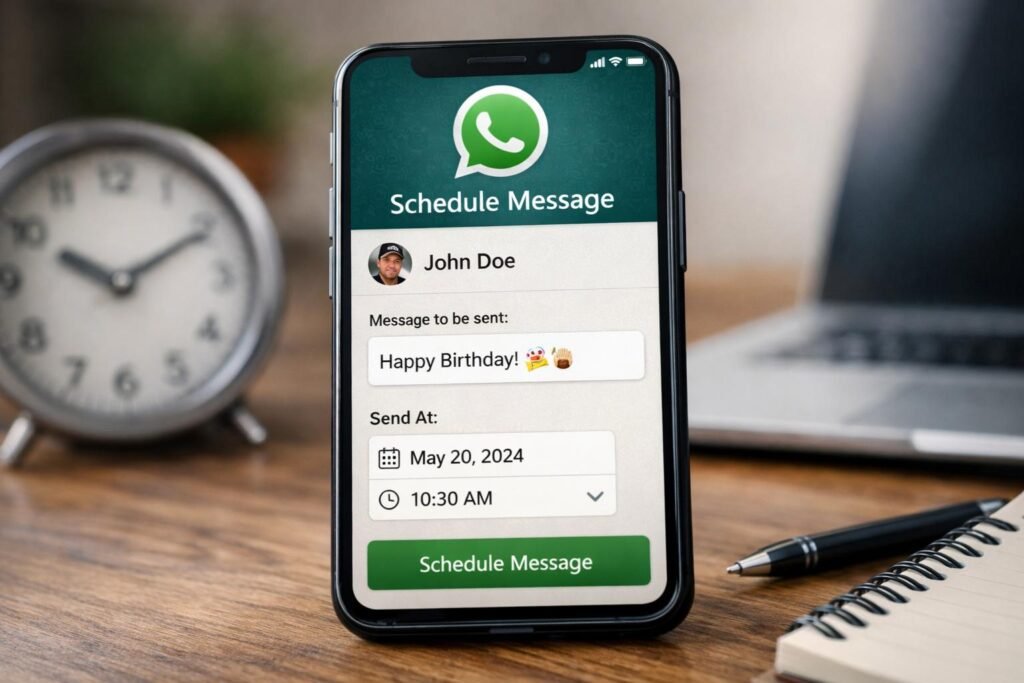
Because WhatsApp is rolling out the feature gradually, not every account will receive it at exactly the same time.
Some users may see the option before their friends or family members.
If you cannot find it, there are several sensible steps to try.
First, open the Google Play Store or Apple App Store and check whether an official WhatsApp update is available.
Second, install any available update and restart the application.
Third, check again later. WhatsApp says the global rollout will continue over the coming weeks.
If the option is still missing, it does not necessarily mean your device is unsupported.
The company may enable the feature for different accounts at different times.
Avoid installing unofficial modified versions of WhatsApp just to access new features earlier. Unofficial applications can create security and privacy risks.
The safest approach is to use the official application and wait for the feature to reach your account.
The Most Useful Ways to Use WhatsApp Scheduling
The value of scheduled messaging becomes clearer when looking at practical everyday situations.
Here are some examples.
1. Birthday Wishes at Midnight
Prepare a greeting several days before someone’s birthday and schedule it for midnight.
You will not need to stay awake or remember to send the message at the last minute.
2. Important Work Reminders
Prepare a reminder in advance and schedule it for an appropriate time during the working day.
This could be useful for meetings, deadlines, or routine team updates.
3. School and University Announcements
Students can organize reminders about examinations, assignments, presentations, and upcoming activities.
4. Family Group Updates
Schedule a message about a family event or important announcement so that it arrives at a convenient time.
5. Messages Across Time Zones
People with relatives or friends living abroad can prepare messages when convenient and arrange delivery at a more suitable time for the recipient.
6. Travel Information
Prepare a message about travel arrangements, meeting details, or an upcoming journey before becoming busy.
7. Personal Good-Luck Messages
Someone preparing for an interview or examination may appreciate receiving an encouraging message at the right moment.
8. Customer Communication
Small business owners can prepare ordinary customer updates and schedule them for an appropriate delivery time.
These examples show that scheduled messaging is not limited to special occasions.
It can become useful whenever people want to communicate at a particular time without needing to be available themselves.
Could Scheduled Messages Change the Way People Use WhatsApp?
WhatsApp has traditionally been built around instant communication.
Someone writes a message, presses send, and expects the other person to receive it immediately.
Scheduling introduces another way of thinking about messaging.
Users can now prepare something when they remember it and choose when it should arrive.
This distinction may seem minor, but it can make everyday communication more organized.
People often think about messages at inconvenient moments. They might remember an important task late at night, while travelling, or during a busy working day.
Instead of relying on memory, they can prepare the message immediately.
The feature could also help people become more considerate communicators.
Someone who remembers a message at 2:00 AM does not necessarily need to disturb the recipient at that hour. They can schedule delivery for the following morning.
For people with friends and relatives in different countries, this flexibility may be particularly valuable.
The feature does not replace calendars or task-management applications, but it adds a useful planning option to a communication tool that many people already use.
What Are the Limitations of WhatsApp’s New Feature?
Although scheduled messaging offers several advantages, it is important to understand its current limitations.
The maximum scheduling period is 14 days.
Users cannot currently schedule ordinary messages months in advance through the announced feature.
There is a minimum scheduling period of 10 minutes.
The feature is designed for future delivery rather than immediate sending.
Availability is gradual.
Some users may need to wait before the option appears on their accounts.
It is not a complete marketing platform.
The announcement does not introduce a full customer campaign dashboard or advanced marketing automation system.
Users must review messages carefully.
Scheduling does not guarantee that a message is accurate or appropriate. Check the recipient, wording, and selected delivery time before confirming.
Understanding these limitations will help users avoid confusion and make better use of the feature.
Frequently Asked Questions About WhatsApp Scheduled Messages
Is WhatsApp’s message scheduling feature available now?
WhatsApp announced the feature on November 25, 2026, and says it is rolling out globally over the coming weeks. Availability may vary between accounts.
How do I schedule a WhatsApp message?
Open a conversation, write your message, press and hold the send button, choose a date and time, and confirm the schedule.
How many days ahead can I schedule a message?
WhatsApp allows scheduling between 10 minutes and 14 days in advance.
Can I schedule WhatsApp messages on Android?
Yes. WhatsApp has announced the feature for Android and iOS, with a gradual global rollout.
Can I schedule messages on an iPhone?
Yes. iPhone users are also included in the announced rollout.
Can I schedule a message in a WhatsApp group?
Yes. Scheduled messaging supports both individual conversations and group chats.
Can I schedule photos and videos?
Yes. WhatsApp says the feature supports text messages, photos, and videos.
Will scheduled messages arrive if my phone is switched off?
Yes. WhatsApp says scheduled messages will still arrive at the selected time even if your phone is off or out of battery.
Can I cancel a scheduled message?
Yes. You can view future scheduled messages and delete them before delivery.
Will the recipient know that the message was scheduled?
No. WhatsApp says scheduled messages appear like ordinary messages to recipients.
Are scheduled messages private?
WhatsApp says scheduled messages remain end-to-end encrypted, like its regular personal messages.
Why is the scheduling option missing from my WhatsApp?
The feature is rolling out globally over the coming weeks. Check for an official app update and try again later if it is not available yet.
Final Thoughts: A Small WhatsApp Update With a Big Everyday Benefit
WhatsApp’s new scheduled messaging feature may not completely transform the application, but it solves a problem that users have experienced for years.
The ability to prepare a message in advance and choose exactly when it should arrive makes everyday communication more convenient.
From birthday greetings and family announcements to work reminders and customer updates, there are plenty of situations where sending something at the right moment matters.
The support for individual chats, group conversations, text, photos, and videos makes the feature more flexible. The ability to deliver messages even when the sender’s phone is switched off is another important advantage.
WhatsApp has also confirmed that scheduled messages retain end-to-end encryption and appear like ordinary messages to recipients.
There are limitations, including the 14-day scheduling window and gradual availability, but the feature is a welcome improvement for people who rely on WhatsApp every day.
As the global rollout continues, more users should begin seeing the option in their applications.
For now, the most useful thing to do is keep WhatsApp updated and check whether scheduling has reached your account.
The idea behind the update is simple: write your message whenever you have time, choose when it should arrive, and let WhatsApp take care of the timing.