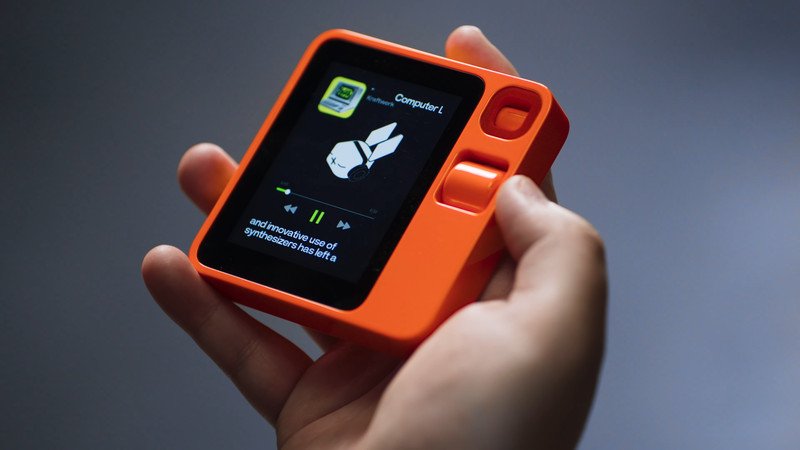
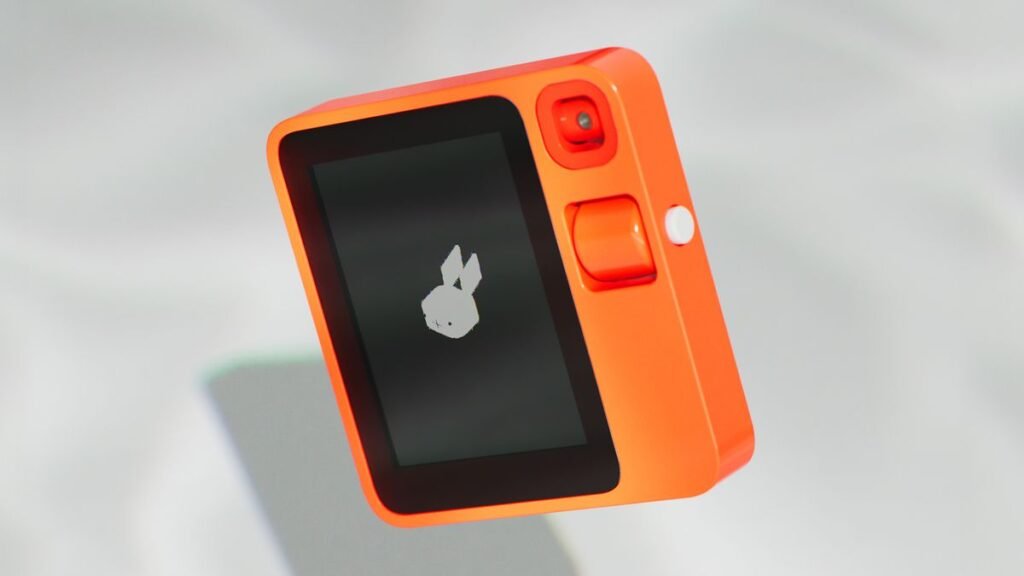
Let me introduce you to the R1 – it’s priced reasonably and offers quick answers to your straightforward research queries. Think of it as your smartphone’s trusty sidekick, rather than a replacement. But here’s the kicker – despite its affordability, the R1’s launch was met with mixed reviews due to its limited features. Even when it does respond, it doesn’t always hit the mark, leaving users wondering why it’s not just an app.
Now, let’s dive into a day with the R1 as my main device. First things first, I unplug it from its charger. It’s got a 1,000 mAh battery that charges via USB-C, but unfortunately, no wireless charging option. And get this – when you unbox it, there’s no charger or USB-C cable included. You’ll have to rely on your smartphone’s accessories.
Usually, I’d hit the gym right after unplugging, but here’s the snag – the R1 isn’t quite up to speed with my workout routine. Sure, I can connect my Bluetooth headphones and stream some tunes, but crucial apps like Nike Training Club aren’t supported. So, it’s back to my smartphone for now.
Well, it turns out that waiting that hour isn’t such a bad thing after all. It gave me a chance to check out the R1’s passive battery drain. Left sitting on my counter the whole time, it only lost about 3% charge, which is a huge improvement post-update. Now that I’m back from the gym, it’s time to put the R1 through its first real test of the day: streaming Spotify out loud while I take a shower. Luckily, the R1 is pretty good at picking up Spotify commands and getting the music going promptly. When I ask it to play the Killers album “Sam’s Town” on Spotify, it jumps right in. But controlling playback directly on the device is a bit tricky. There’s no easy way to manage the song queue or skip tracks. After starting with the title track “Sam’s Town,” it goes off on a shuffle of similar artists like Weezer and The Strokes instead of continuing with the album. And without hands-on control, I’m stuck with its selections until I can get back to it. Plus, it doesn’t seem to understand when I ask it to play my Spotify daily list, which changes frequently. Sometimes it gives me a recommended playlist, while other times it asks for something completely different.
After completing my morning routine, I’m ready to head to a coffee shop and get some work done. But before I do, I’ll throw a quick sports question at my virtual assistant, just for fun. I already know the answer: how did the Baltimore Orioles do in last night’s game? “Did the Orioles win last night?” “Let me check.” “The Baltimore Orioles lost to the New York Yankees with a score of two to zero on May 1st, 2022.” Surprisingly, this time, the virtual assistant got it right. The O’s did indeed fall to the Yankees, two to nothing, at home. I’ve been testing it with the same question for a couple of days now, and it usually only gets three out of the four key pieces of data right. It consistently knows the opponent and the result, but often messes up the score, either pulling up a score from a previous game against the same opponent or failing to retrieve a score at all.
Putting baseball aside, it’s time to find a coffee shop. I’ve been asking my virtual assistant about the closest coffee shop to me for several days now, but each time, I get a different response—sometimes even suggesting places farther away than before. “What’s the closest coffee shop to me and how do I get there?” “Searching for the nearest coffee shop to Baltimore, Maryland, 21224, United States. Hannah’s Cafe in Maryland, 15 minutes away. To get there, you can take York Road and exit onto Del Valley Road. Hannah Cafe offers fresh and tasty breakfast and lunch options with a friendly atmosphere and unique menu items like the breakfast burrito with tater tots. Alternatively, Pete’s Coffee is a popular coffee chain with a location in Baltimore, offering a variety of coffee drinks, food options, and rewards for frequent customers.” But that’s way off. So, I’ll go to a coffee shop I know. I’m in downtown Baltimore, yet it’s suggesting places in Towson, which is a half-hour drive away. What’s more, that half-hour drive passes several other coffee shops just down the street or a mile or two away.
Once I reach the coffee shop, I grab my R1 and pair it with my Bluetooth headphones to get back to streaming Spotify while I tackle some work. Initially, I figured that the R1’s struggle to play the music I wanted would be the worst part of using Spotify. But boy, was I mistaken. The Bluetooth connection is just dreadful, constantly stuttering through each song on my playlist and desperately trying to catch up with where the song should be. What’s worse, the R1 only supports mono playback, so I’m stuck hearing the same sound from both sides of my Pixel Buds Pro.
As the clock strikes noon, I decide to put the R1 through another test: ordering lunch. Rabbit really hyped up its DoorDash integration during its launch, so I was eager to see if it lived up to the hype. Wanting something more local than the McDonald’s CEO Jesse Lou ordered for a friend during the event, I whip out the R1 and ask it to order from Indo Viet, a nearby Vietnamese joint. To my pleasant surprise, it actually works like a charm. I’ve seen friends and other reviewers struggle to get orders through DoorDash, so I wasn’t expecting the R1 to nail it on the first try. But here we are, and after a few failed attempts earlier in the day, I’d say that’s a solid win for the R1. Of course, knowing exactly what I wanted made the DoorDash experience smoother. But if you’re not sure what you’re craving and just want a list of nearby restaurants or a broader menu selection, the R1 might not be your best bet. Asking it to order food typically brings up a shortlist of nearby restaurants, with only a handful of items available from each menu.
The R1 boasts an impressive feature: the ability to record and summarize conversations in real-time. With an Apple event on the horizon, I decide to dive into a video, doing some research and jotting down notes for later reference when the new iPads are unveiled. But there’s a catch to this setup: you can’t replay recordings or check the summarized notes directly on the R1 itself. While it’s handy to postpone note review during a briefing, it does mean you need a desktop computer to access all the data since the rabbit hole feature isn’t compatible with mobile devices, making it tricky to transition smoothly from recordings to AI-generated notes.
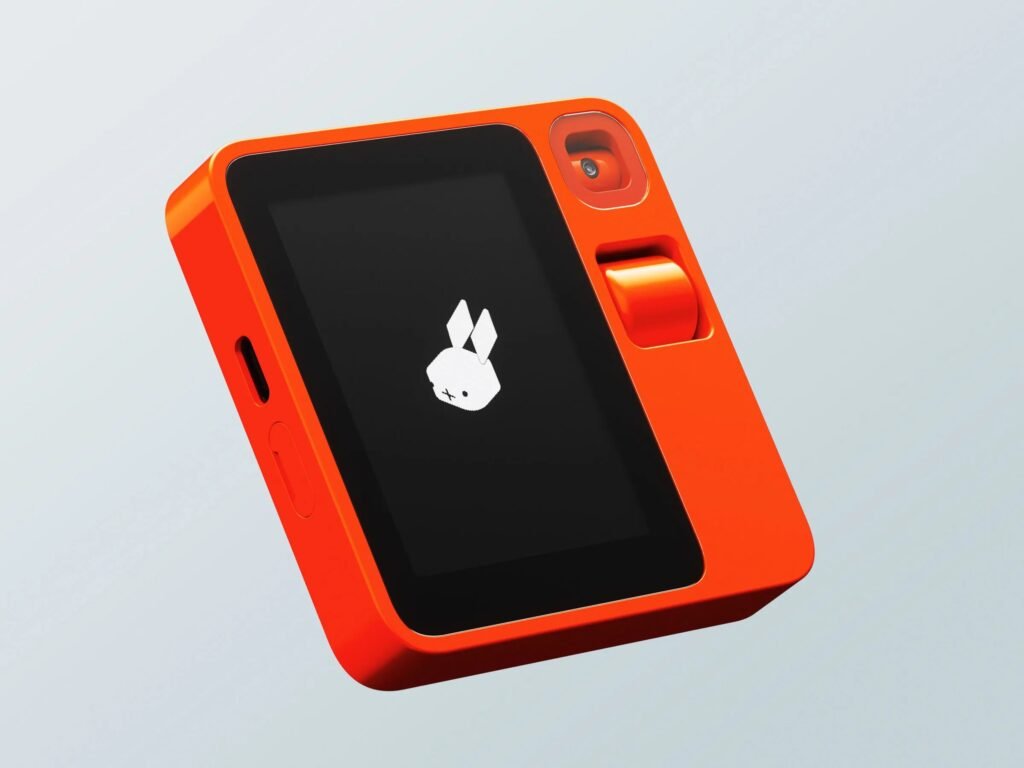
As I wrap up work for the day, I turn to explore the R1’s Vision mode. It’s pretty straightforward to activate with a double-tap of the gray multi-function button. You just point the camera at whatever you want to identify, hold the button, and ask your questions. I decide to take a stroll to a nearby record shop to check out some used vinyl options. With only two hands, one for the camera and one for the R1, I hope I can ask about records without needing my hands. My plan is to find out the track listings for each record before deciding whether to buy. However, asking the R1 questions in a noisy record store doesn’t work well for video clarity. So, I redo some tests at home with a record I already own. Surprisingly, while the R1 can identify the album cover, it struggles to provide track listings. But if you simply ask for track listings without identifying the cover, it can pull them up just fine. At this point, I’m unsure about Vision mode’s purpose, but I’m willing to give it another chance. So far, it hasn’t told me anything beyond what I can see with my own eyes, but I remain open to further exploration. To mimic a CEO’s test, I ask about a pink running shoe, receiving a basic description confirming its color and singularity.
It was a hot day, perfect for testing out the R1. After a run, my friends and I planned to grab some ice cream, but I wanted to check if the shop would be open. Unfortunately, my R1 couldn’t connect to my phone’s hotspot, leaving me stranded without a way to ask questions. Despite this hiccup, I was pleasantly surprised to find that I still had about 35% battery left at the end of the day, a significant improvement since the software update.
During my testing, I didn’t get around to trying out all of the R1’s features. I didn’t hail an Uber, generate images with Midjourney, or test the two-way translation feature. Plus, there were several standard phone functions missing from the R1, like setting alarms, timers, sending texts, video calling, and checking live sports scores. It’s unclear when or if these features will be added through updates, although Rabbit seems proactive in this regard, the speed of updates remains uncertain.
The initial OTA update brought significant improvements to the R1, particularly in battery life and the responsiveness of the scroll wheel. However, adjusting volume and brightness proved to be cumbersome, requiring two hands and multiple steps, unlike the intuitive controls of a phone.
My overall experience using the R1 was mixed. While it performed well at times, accurately completing tasks like ordering lunch, it also struggled, providing incorrect or incomplete responses. For example, while it correctly identified the cover of “Hotel California,” it couldn’t provide a list of songs on the album. Such limitations make it unlikely that users will rely on it for convenience or quick answers.
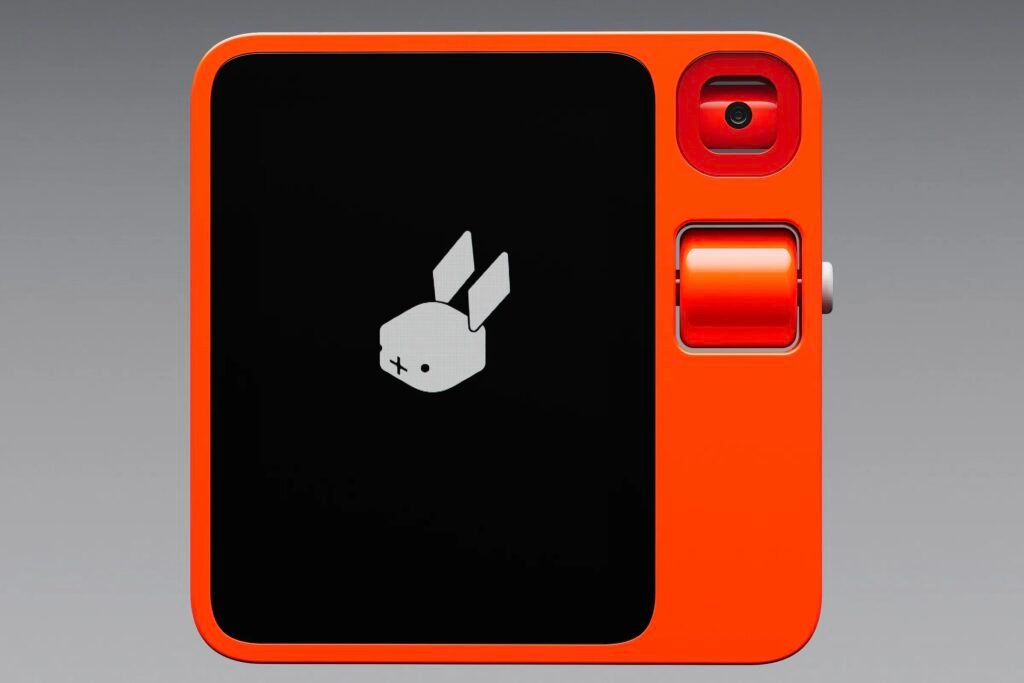
I’m cautiously optimistic about the Rabbit team’s ability to push out the first OTA update swiftly. It shows they’re actively working to improve the user experience. However, I can’t shake the feeling that applying minor fixes to a device that likely hit the market prematurely isn’t the best approach. It seems like the R1 is in need of a more substantial overhaul. Frankly, the most frustrating part of my extensive testing with the R1 is still not knowing its true purpose. I’m struggling to recommend it to friends or potential buyers. While the R1 managed to stream music from Spotify and even placed an order for lunch through DoorDash successfully, every interaction felt like a gamble. And when someone questioned why the R1 interface isn’t just an app, I found myself explaining that it’s essentially the same thing. Rabbit’s advanced action model isn’t stored in your device; it operates in the cloud. The device itself uses a low-power MediaTek processor mainly for communication with the cloud. So, once you’ve obtained the APK and installed it on another device, you can access the same features without needing the physical scroll wheel. Although you might lose the charming Rabbit hardware with its Teenage Engineering design and bright orange color, you gain the convenience of touchscreen navigation from your smartphone. So, after a long and somewhat disappointing day, that’s the Rabbit R1 for you. It’s an attractive piece of hardware with ambitious goals, but its current execution falls short in every aspect. It leaves much to be desired, most of which you can already achieve with the device probably already in your pocket — your smartphone. I even had to use my smartphone to set up data for the R1, showing their interconnectedness. If you’re on the fence about buying the R1, there’s probably a good reason for it; as it stands, it doesn’t significantly improve your daily routine. It lacks additional useful apps, doesn’t free you from app reliance, and doesn’t quite meet most expectations if you were thinking of replacing your smartphone. If you still feel compelled to purchase the R1, you can find it below, but maybe it’s best to hold onto your $200 for now.