
Here’s a quick tip for making our models feel at ease: just talk to them! For this shoot, Mo is our model, and I’m your photographer. Welcome to Studio L, where our goal is to keep things relaxed and fun.
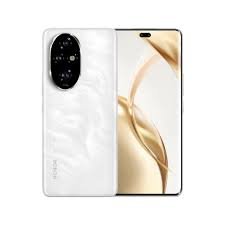
Let’s dive into the new Honor 200 Pro. This device is a standout collaboration between Honor and Hardcour Studio, and it’s packed with some really cool camera features designed to make your photos look amazing. We’ll explore those features in a bit.
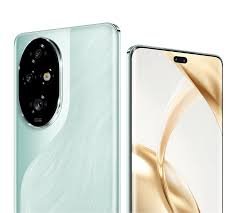
Check out the device—it feels almost like marble on the back, but actually, it’s more of a pearl finish with a stylish waterfall edge. The camera section is sleek and oval-shaped, giving it a touch of elegance. The screen is impressive too: it’s a 6.78-inch AMOLED display with a 120 Hz refresh rate and a sharp 2700×1224 resolution. You’ll also find a SIM tool, a starter case, and a powerful 100-watt charging brick in the box.
Check out this 100-watt charger in action! Watch it hit the max and supercharge like a champ. It’s awesome seeing the power ramp up in real time. And getting a 100-watt charger with your phone? What a bonus—especially since it can even charge your laptop!
I’m not entirely sure how this device will come packaged—whether it’ll include a different charger or maybe none at all. But right now, there’s a deal where you get both the earbuds and the 100W charger for free with your purchase. Details are in the video description.
Now, let’s dive into the front-facing camera. I’m turning off the beauty mode to see what it really captures. Even with beauty mode off, the detail is impressive. Mo, you see that? The beard detail is so sharp, but Mo’s a bit blurry. The portrait mode is doing its thing—look how clear the lines from the ceiling are.
The beard? It’s well-defined. Let’s switch to the rear camera. Focus lock at 1x—perfect. At 6x, the color temperature stays strong. At 2x, the shot is fantastic. We’re doing a photo shoot, and the versatility here is great. The camera picked up the plant right away. Zoom is on point. Clearly, these rear cameras are even better than the front ones. The ultra-wide and wide lenses are delivering solid results—no complaints!
So, the camera on this device is getting a lot of buzz—partly because it’s really good, and partly because of this cool Studio Hardcour feature that adds some unique capabilities. Let’s dive into the portrait mode. Normally, portrait just means adding a bokeh effect and a few lighting options. But with the Hardcour style, you get these classic, sophisticated headshots that look super elegant. Mo’s going to show you some examples now.
This mode uses dramatic lighting that requires some serious setup and expertise. Let’s try it out. You’ll see options like Hardcour vibrant, Hardcour color, and a black-and-white classic look. This classic style is what you’d expect for those glamorous headshots. I haven’t tried this before, so we’re about to give it a go.
To get the best results, it’s recommended to use the 2x or 2.5x zoom to avoid any distortion. Wide-angle lenses can cause that fisheye effect, and longer lenses can give a pin cushion look. These tips are key to getting a great portrait.
Check this out—we’ve even got tips on making models feel comfortable. Mo, let’s communicate and make this fun. Actually, you’re going to be the model. I’ll be the photographer, and we’re going to try this out like we’re just discovering it for the first time.
So, Mo’s going to pose against a white wall, sitting on a chair in a thoughtful pose. Position your arm close to your face—don’t touch it, just near it. Look slightly off to the side, like this. Keep your hand relaxed, almost like a fist. Perfect. Now, take a picture of me so we can see how it turns out. Oh, and Mo, that’s a great shot of me! Hollywood, here we come!
Wow, that’s actually a great shot! He’s totally Hollywood-ready, right? I was a bit unsure about the hand pose at first, but it really works. It adds a nice touch of intrigue. Now, let’s move on to the other Hardcour versions. We’ll try a standing pose next and one where he’s looking straight at the camera. We’re also going to experiment with this new Hardcour color—might even top the last one!
I have to say, it’ll be tough to beat that last shot. Let’s go with a vibrant look now. Have him lean on the chair like he’s just walked into a meeting. A little shoulder shrug would be great. Actually, can we make this pose a bit more natural? It feels a bit forced right now. Check out Jack over there; he’s got a more relaxed vibe. The chair is kind of messing with the look. But hey, the previous shots were fantastic, and this one is shaping up nicely. It’s got a more subtle color—artistic without being over the top.
So, these two shots? They look pretty amazing. I’m not sure if people would even guess they were taken with a smartphone.
Here’s the scoop: the Honor 200 Pro, thanks to its collab with Studio Hardcour, really delivers. While you might not snag a model like Mo, you can definitely make anyone look sophisticated. And don’t miss out on the current promo with wireless earbuds and a massive 100W power brick—check the description for all the details.


